

mix
Platforms

Project Overview
Overview
“mix is an amazing tool to develop new designs based on materials and seasonal colors. To be able to explore hundreds of designs and color combinations in full 3D and AR in a matter of seconds is a tremendous boost to our creative process.” John Burch, Senior Vice President of Product at Merrell (Wolverine Worldwide),
In 2019, I designed swatchbook mix from the ground up. As the sole designer working closely with CEO Yazan Malkosh and the engineering team, I led the product’s design from early research through launch.
mix was created to help fashion designers explore product variations using digital materials. Before Mix, design decisions were often made with spreadsheets and static tech packs, making iteration slow and limiting designers’ ability to visualize combinations.
mix introduced a new workflow where designers could configure products in 3D and AR, define constraints such as materials, colors, and pricing, and explore AI-assisted product variations in real time. Designers could then export dynamic tech packs that connected creative exploration with manufacturing workflows.
The app launched on iPad Pro and was adopted by global brands including Nike, Merrell, New Balance, and Victoria’s Secret.
My Role
As the sole product designer, I led the design of Swatchbook Mix from initial research through product launch, working closely with leadership and engineering to define the product’s core workflows and interaction model.
- UX Strategy
Defined the product architecture, end-to-end workflows, and interaction patterns. - Product & UI Design
Designed the full interface for iPad Pro, iPhone and Mac balancing usability with a visually rich environment suited for creative exploration. - Prototyping & Testing
Built interactive prototypes and conducted usability testing, evaluating interactions using metrics such as time-on-task, error rates, and abandonment. - Cross-functional Collaboration
Worked closely with executives and engineers to align creative vision with technical feasibility.
The Challenge
Through research with apparel, footwear and textile brands, we identified several challenges in the product development workflow.
- Slow iteration
Exploring materials and colorways often took weeks, as each variation had to be documented manually in spreadsheets and tech packs. - Limited visualization
Design decisions were frequently made using flat documents rather than realistic representations of the product. - Costly sampling
Physical prototypes were produced before teams had confidence in the design direction, leading to wasted materials and late-stage revisions.
These constraints made it difficult for designers to quickly explore possibilities and converge on strong design directions. Our opportunity was to build a tool that allowed designers to experiment freely while maintaining the structure required for manufacturing workflows.
This led us to rethink how designers explore variations—shifting from manually documenting options to curating promising directions from a large design space.
Execution
Designing for Exploration
A core goal of mix was to help designers explore a large number of product possibilities without overwhelming them.
Traditional product design workflows require designers to manually configure each variation and document options in spreadsheets and tech packs. This makes early exploration slow and discourages experimentation.
mix introduced a constraint-based exploration workflow. Designers could define parameters such as material collections, color ranges, price targets, and product rules. The system would then generate viable product combinations by assigning digitized materials to different product components.
This introduced an early form of machine-assisted design exploration. Instead of manually configuring every variation, designers could browse generated options and curate promising directions by liking, disliking, or pinning results.
Designer feedback helped prioritize combinations aligned with the brand’s aesthetic and design constraints, creating a human-in-the-loop exploration process where machine suggestions and designer judgment worked together.
Key Interaction Decisions
Several design decisions focused on making complex product configuration feel intuitive for designers.
Tactile material selection
Instead of technical dropdown menus, materials were represented as drag-and-drop fabric rolls, making the interaction feel closer to working with physical materials.
Lightweight 3D interaction
Traditional 3D tools rely on complex controls. Mix simplified this through familiar gestures such as pinch, rotate, and tap, making the experience accessible even for designers with no prior 3D software experience.
Configurable design rules
Designers could lock certain product elements while allowing others to vary. This enabled creative exploration while maintaining important product or brand constraints.
Workflow & Iteration
The workflow was designed to move designers quickly from setup to exploration.
A typical process looked like this:
- Select a base product asset
- Assign materials to product components
- Define design constraints and rules
- Browse generated design variations
- Curate promising concepts by liking, disliking, or pinning options
This approach shifted the process from manually documenting variations to exploring a large design space and refining promising directions.
.jpg)
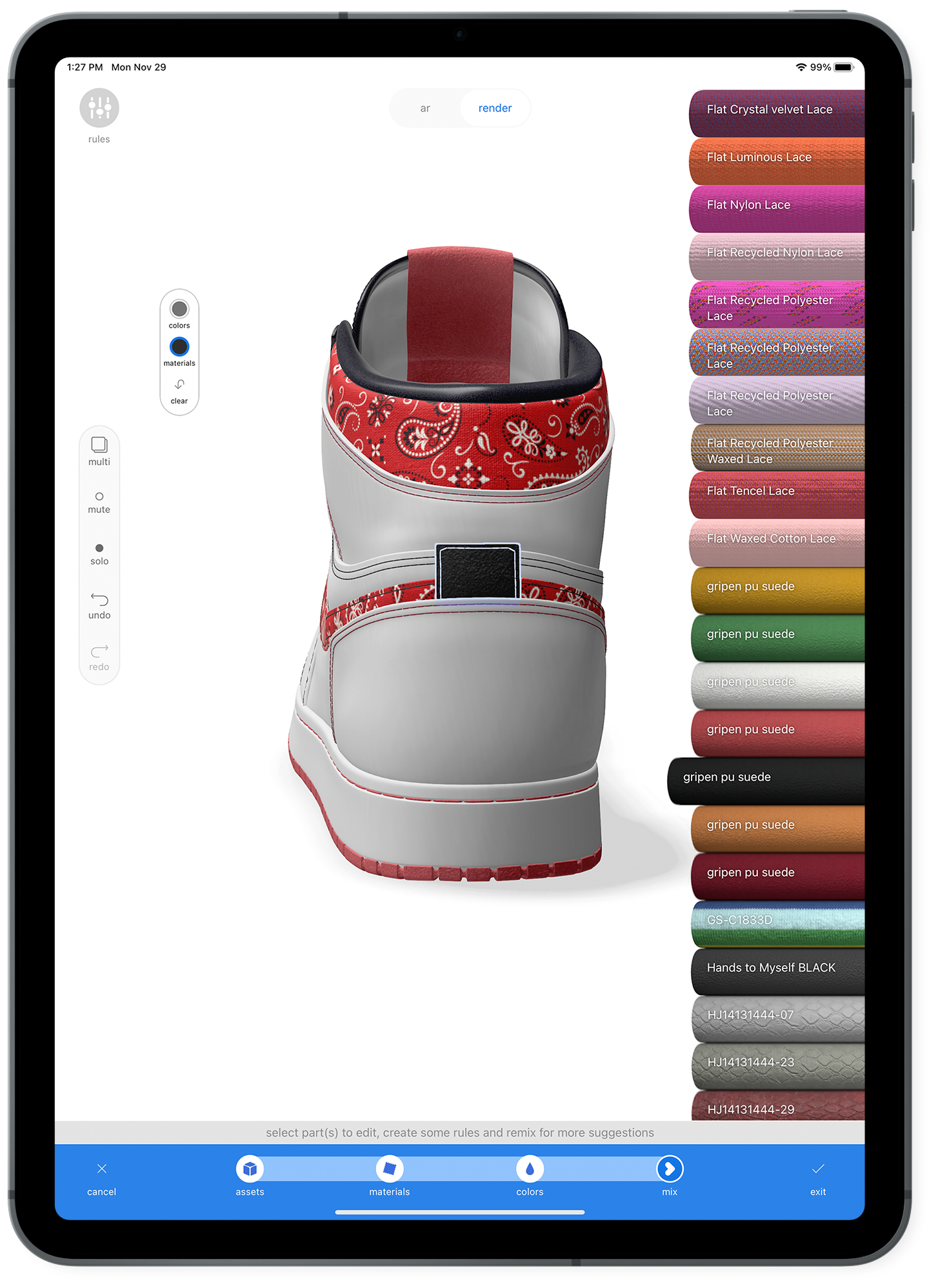
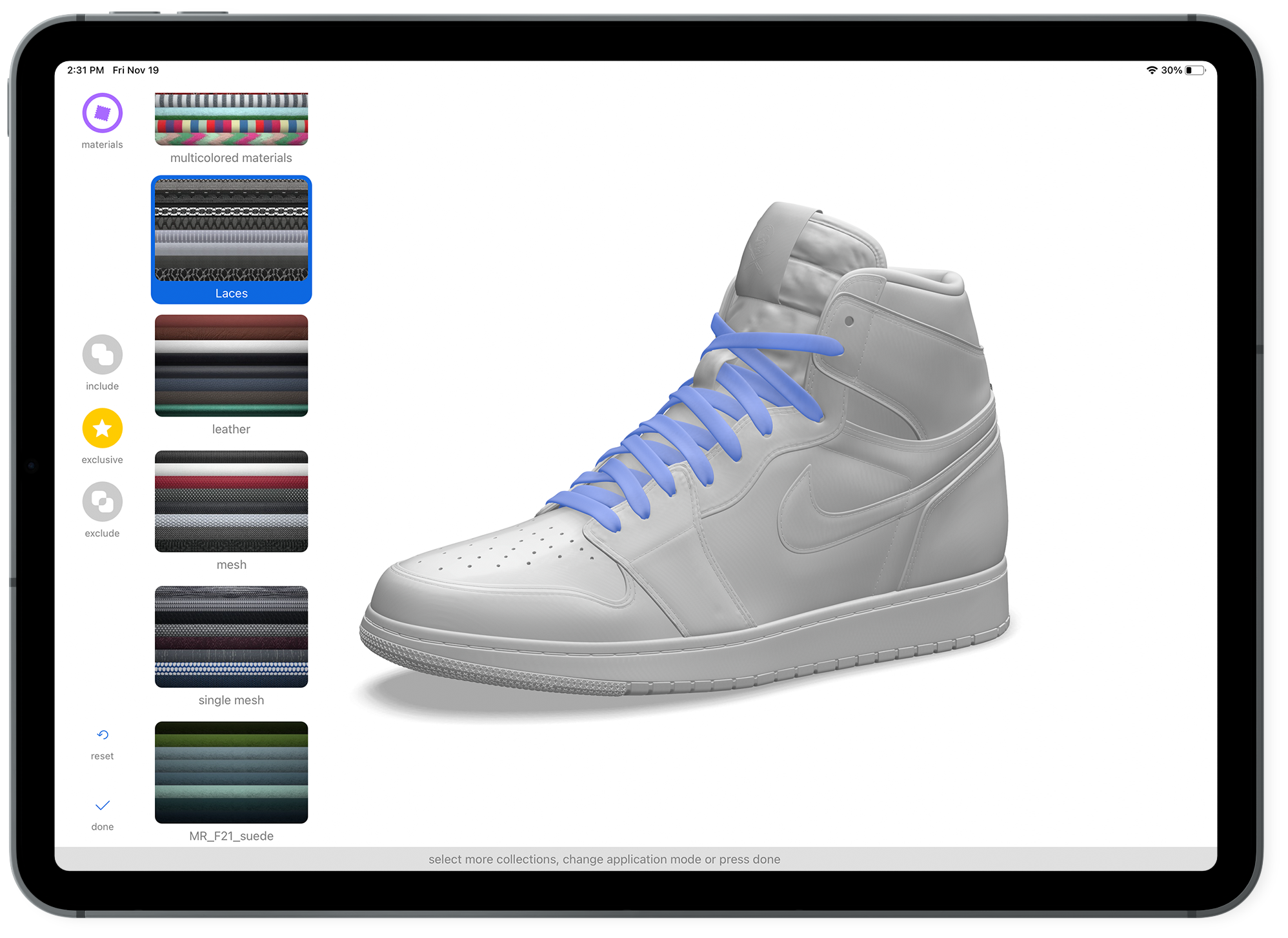
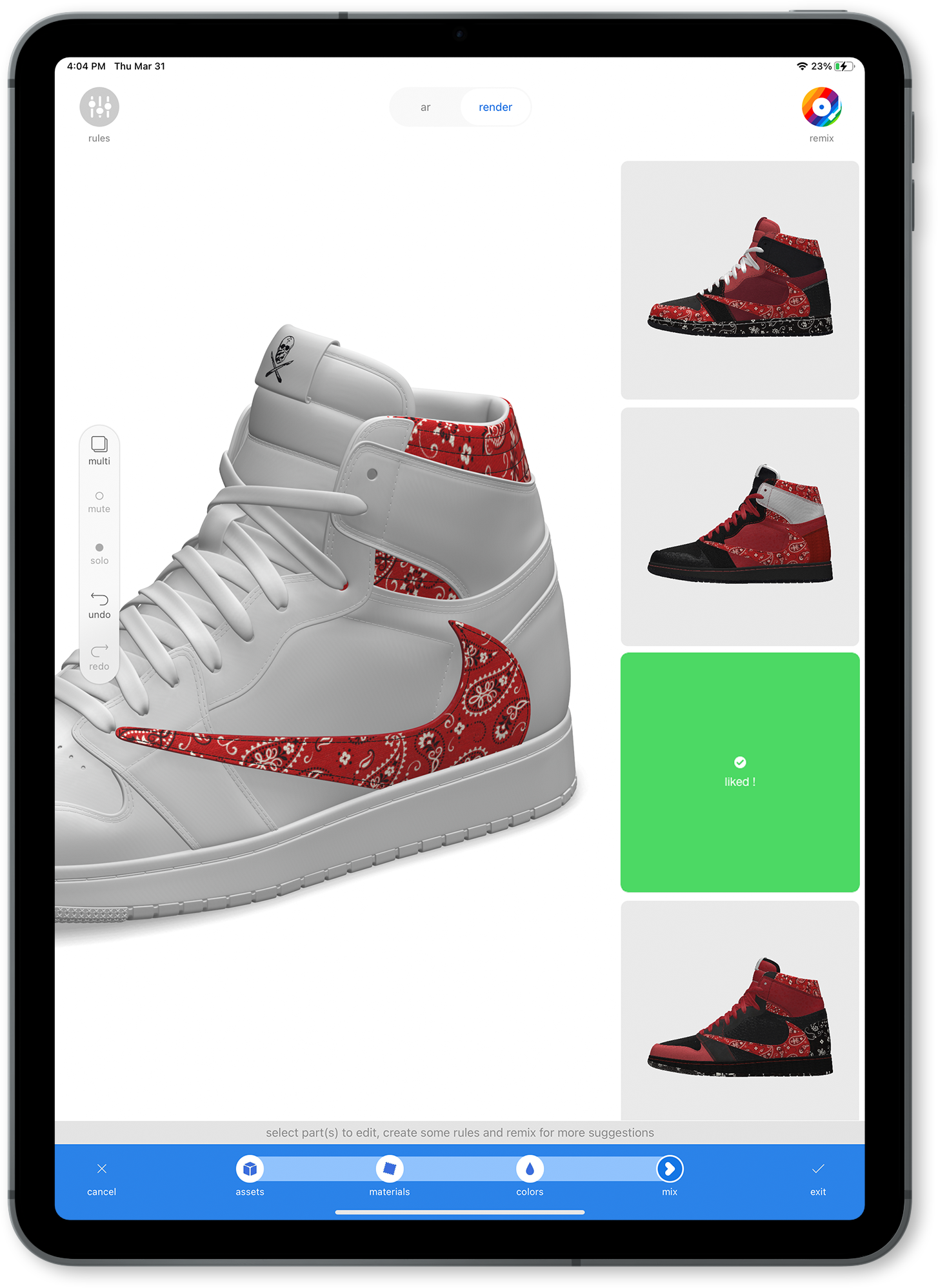
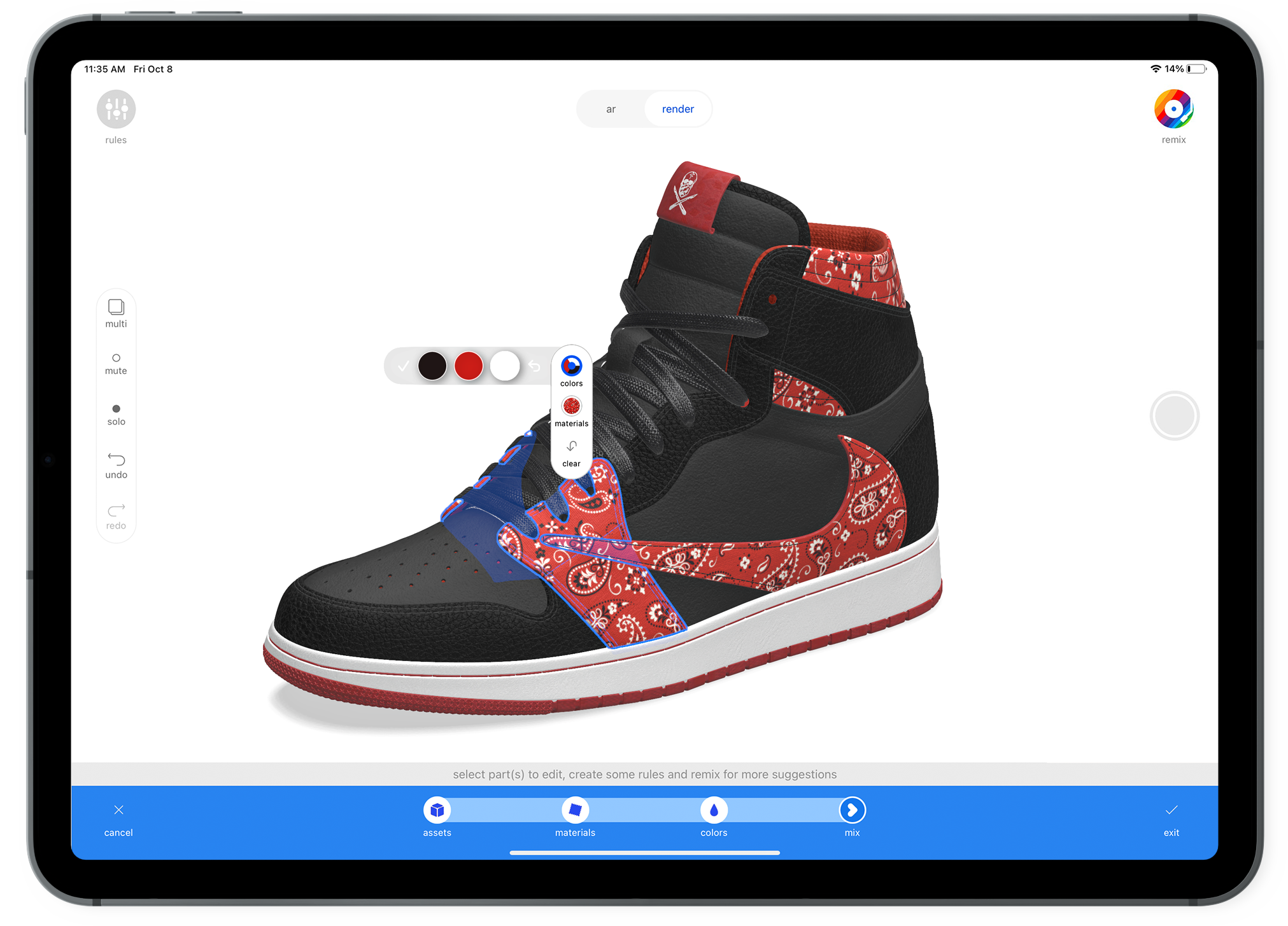
Later versions of Mix expanded these capabilities with faster recoloring tools, the ability to start designs from a blank template, and sharing locked or editable variants with collaborators.
Several interactions were refined through usability testing. One example was the color selection interface.
Three interaction patterns were tested:
- spin-wheel color selector
- tap-to-select palette
- linear color strip
The spin-wheel performed best across key usability metrics, including time on task, error rate, and abandonment. Testing also revealed the control was initially too small for touch input, so the interface was enlarged by 20% to improve usability.

Some of the A/B testing conducted was to choose recoloring UI. Try prototype Spinwheel , Tap to select , Linear


Connecting Design to Manufacturing
Once designers selected a preferred variation, they could save, refine, and share it with collaborators or manufacturers.
Each design automatically generated a virtual bill of materials that included material specifications, supplier information, product renderings, and links to physical samples and videos.
This created a dynamic tech pack, allowing teams to move directly from design exploration to manufacturing communication.
Many clients integrated these tech packs directly into their product development workflows, helping connect creative design decisions with production requirements.


Results
Results
- Adoption by global brands
Integrated into design workflows at companies including Nike, New Balance, Merrell, and Victoria’s Secret. - Faster design iteration
Early-stage design exploration that previously took weeks could now happen in hours, allowing teams to evaluate many more product variations. - Reduced sampling waste
Digital experimentation reduced the need for repeated physical prototypes during early concept development. - Industry positioning
mix helped establish swatchbook as a leader in digital tools for fashion product development.
Reflection
I had full-cycle ownership of a product — from research through shipping. Being the only designer pushed me to balance big-picture usability with fine-grained interaction details. I learned how to simplify complex technology into flows that felt intuitive and creative, and it shaped how I approach end-to-end product design today.